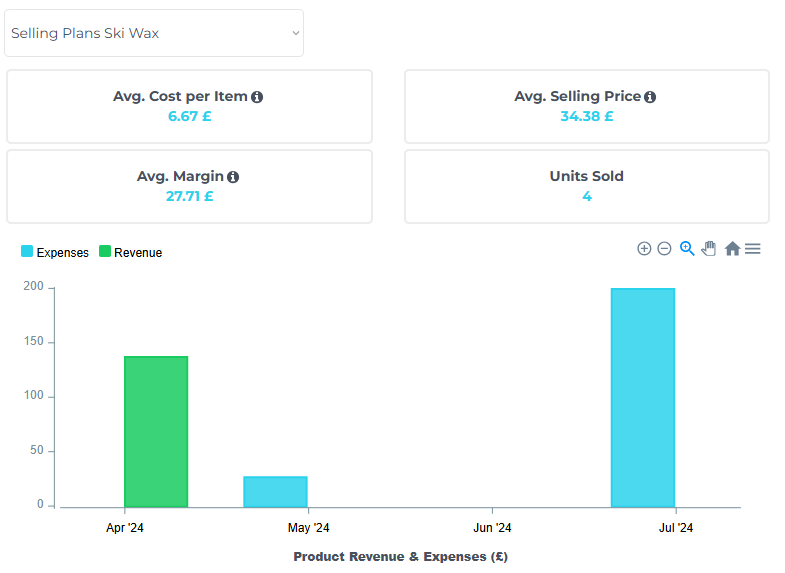
Your sales total is easy to see. The costs behind it can be spread across several accounts, invoices and subscriptions. Organizing those costs is the first step toward understanding your store’s profitability.
Separate product costs from business expenses Product costs relate to the items you sell. Other expenses support the wider business, such as software subscriptions and advertising. Keep these categories clear so you can understand both product margins and overall performance.
Remember recurring costs Monthly subscriptions can be easy to overlook because they are usually predictable. Add them to your reporting routine and check them when plans or prices change. A recurring expense should remain visible even during a quiet sales period.
Review advertising in context Advertising spend belongs alongside the revenue it helps generate. Campaign metrics can help explain performance, but they do not include every cost of running a store. Review them together with your wider expenses before drawing conclusions about overall profitability.
Keep the inputs current Good reporting depends on accurate inputs. Update costs when your suppliers change prices, check expense categories, and review how refunds or one-off charges are recorded. Consistent maintenance makes trends easier to trust.
EcomStat brings these figures together in one dashboard, helping Shopify merchants keep product costs, recurring expenses, advertising and revenue in view.