A spreadsheet can be a useful place to start tracking a store. As orders, products and marketing activity grow, keeping that sheet up to date can become a task of its own.
Notice where the time goes Are you downloading the same reports every week? Copying advertising spend into a separate file? Rechecking formulas before you can make a decision? Those repeated tasks are a sign that your reporting routine may need to change.
Decide what you need to see Start with the questions you actually ask about the business. How much did the store earn after costs? Which products have stronger margins? How much is going toward advertising and recurring expenses? A useful dashboard makes those questions easier to explore.
Connect data, then check it Automation can reduce repeated data entry, but setup still matters. Connect the supported channels, add the costs your store needs, and compare the resulting report with your existing records. Understand what is included before relying on a new view.
Keep a regular review Centralized reporting works best with a simple habit: check the numbers, investigate changes and update your inputs when the business changes. You can still use spreadsheets for specific analysis while reducing the work needed for everyday reporting.
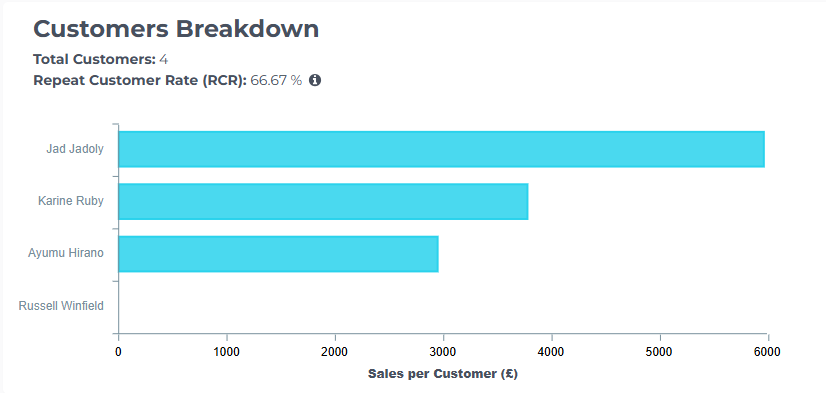
EcomStat gives Shopify merchants a shared view of revenue, expenses, products and customers, so the everyday picture is easier to see.